Job Prep Kit
Prepare application and interview drafts for a specific job, then review every claim about your experience.
Written By Landon
Last updated 1 day ago
Job-prep drafts can organize interview, cover-letter, and application work for a chosen target. Review every claim about experience and tailor the final material yourself before sending it.
Career drafts must stay accurate and user controlled
Resume Raven does not verify employment, guarantee interviews or jobs, apply to an employer, or send a resume. Document extraction and AI drafts may be wrong and require review.
Follow these steps
Find the starting point
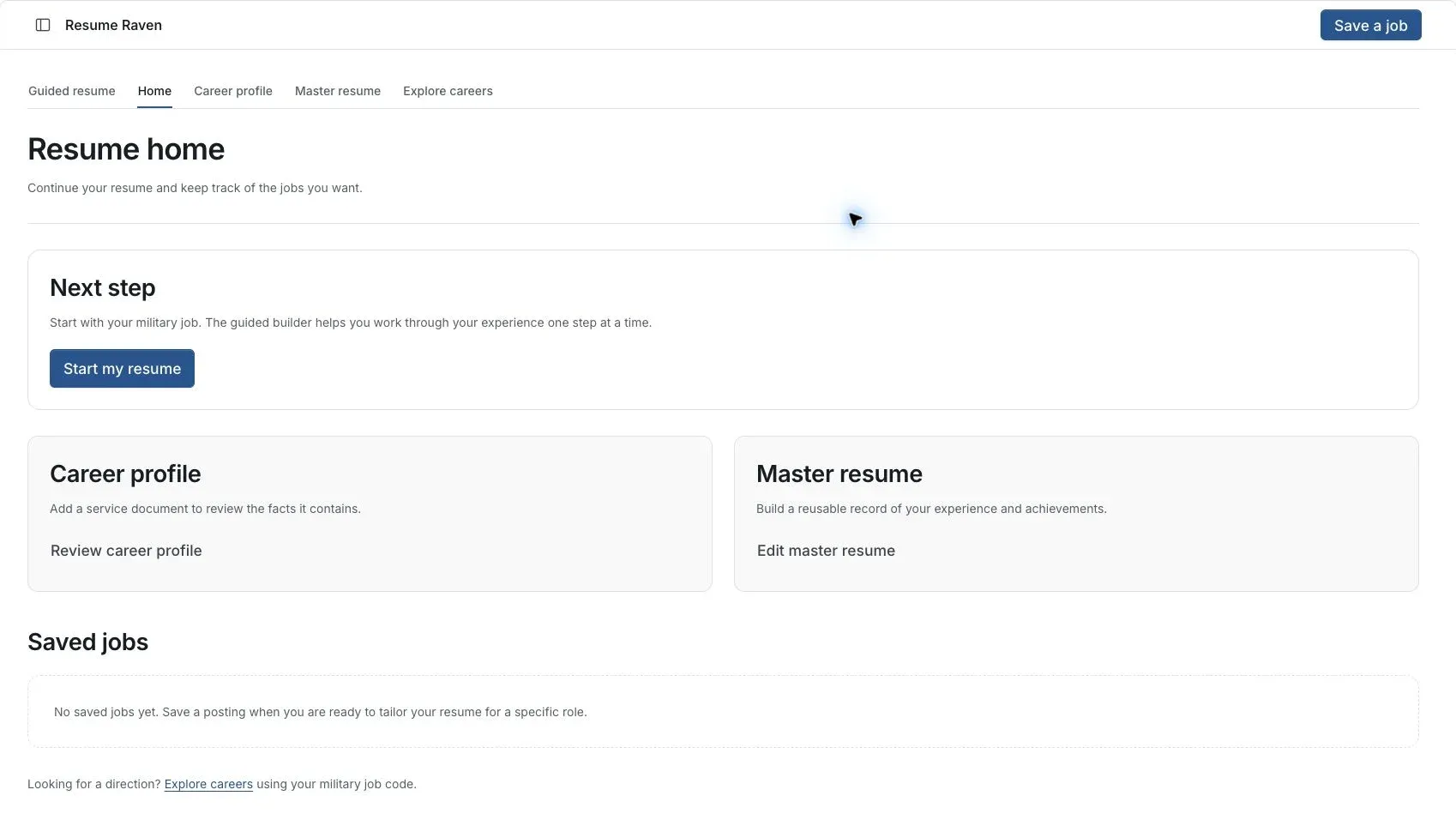
Actual Resume Raven screen in the fictional account preview; no personal records uploaded.
Choose the target job
Start with the current posting and identify the work and requirements it describes.
Select relevant experience
Use confirmed facts from your career profile and master resume.
Review each draft
Check cover-letter and interview wording for invented experience, unsupported metrics or claims that do not fit you.
Keep the final version
Read the material as a complete document and decide what to send yourself. Drafting is separate from applying.
If this does not work
The saved facts or draft do not match your experience
- Compare the wording with the original document or your own confirmed history.
- Check the account and selected job or resume.
- Keep unsupported suggestions out of the final version.
Preserve your accurate original. If a save or extraction fails, keep the page open and report the visible error without attaching private service records.
Return to Resume Raven
Review your facts and the intended job before continuing.
Useful links
Related articles
Was this helpful?
Still need help? Ask the team