Get help, message support or suggest a feature
Reach Claim Raven support, report a problem or suggest a feature from inside the app.
Written By Landon
Last updated 1 day ago
If you are in crisis, do not wait for support. Call 988 and press 1, or text 838255, to reach the Veterans Crisis Line.
Message support from any page
Select the round blue button in the bottom right corner
Its name is Help and support. It is on most signed-in pages. On Ask Raven and Inbox it stays hidden so it never covers the box you type in.
Write your message, report a bug or suggest a feature
Say what you were trying to do and what happened instead.
Expected result: Your message goes to the Claim Raven support team. The answer comes back in the same conversation and to your email.
Write to support from Inbox
Find Write to support
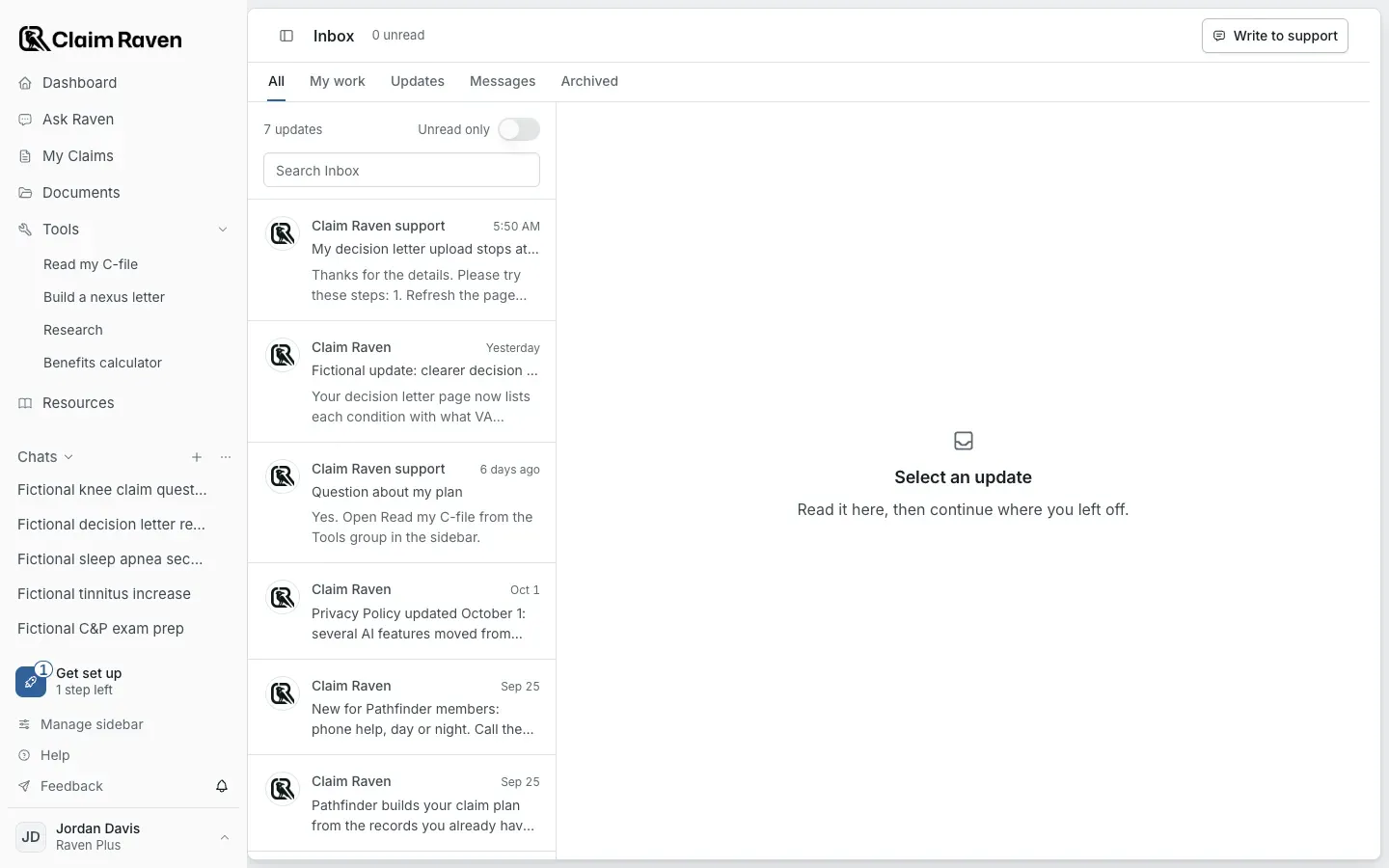
Actual app screen from the fictional account preview.
Select the bell beside Feedback
The bell sits at the bottom of the sidebar and opens Inbox.
Select Write to support
Write your message and send it.
Expected result: The conversation stays in Inbox. When support answers, the bell shows a number and the conversation is marked unread.
- Support conversations show in Inbox once your email address is confirmed. Until then, Write to support opens the support window or the Contact support form instead.
- Updates about new features also show in Inbox.
Use the Help menu
Find the Help menu
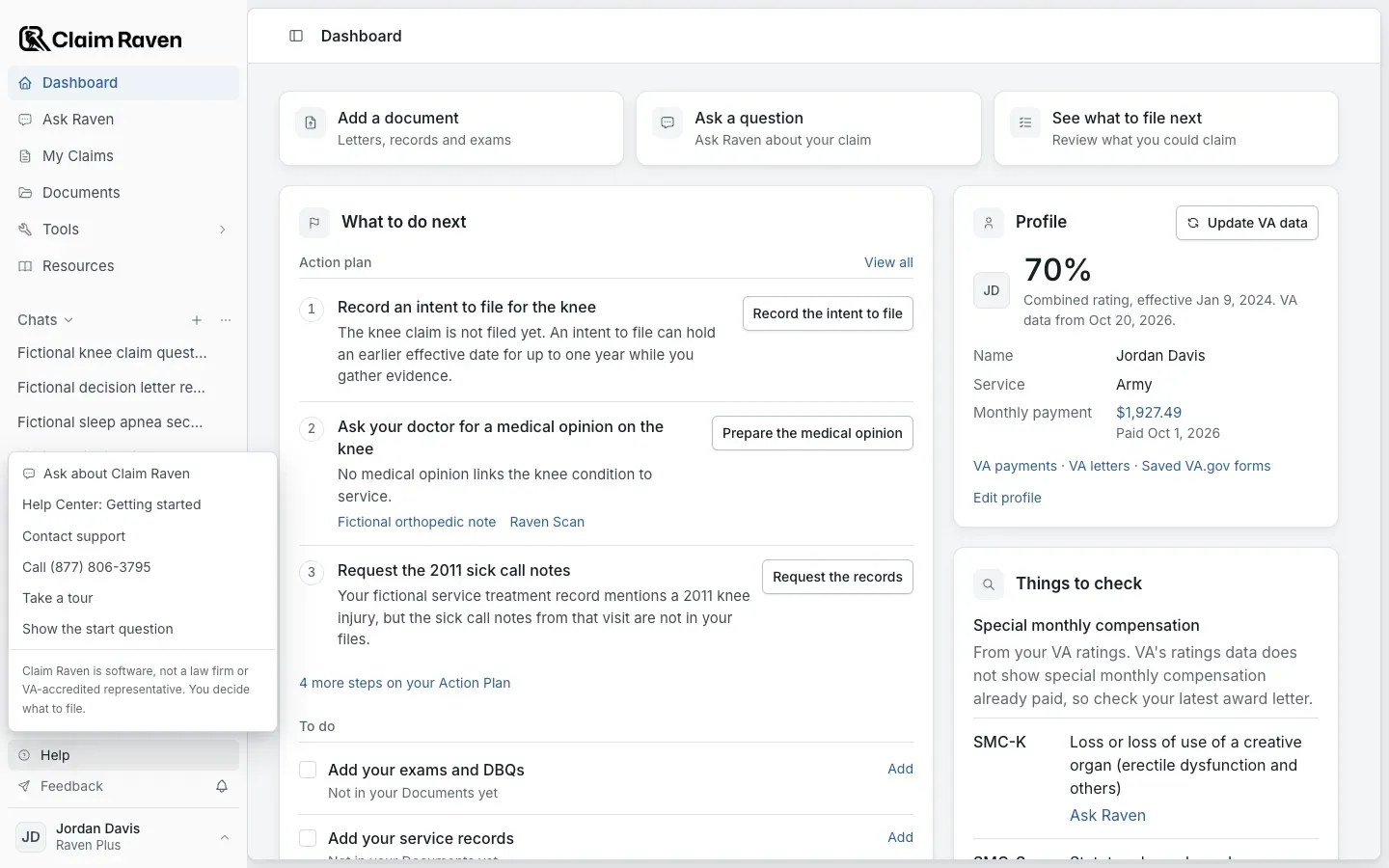
Actual app screen from the fictional account preview.
- Help Center opens the Help Center article for the page you are on.
- Contact support opens a message window. The answer comes to your email.
- The menu also lists the support phone number, Take a tour and Ask about Claim Raven.
Suggest a feature or report a bug
Select Feedback, the paper plane icon at the bottom of the sidebar
You are signed in with your Claim Raven account.
Post an idea or a bug report
Search first. If someone already posted the same idea, vote for it and add a comment instead.
Expected result: New posts are reviewed before other members see them.
- Other members can read posts on the boards. Leave out claim details, medical details and anything else personal. Send those to support instead.
- When you contact support or send feedback, the app can attach the page you were on, the app version, your device and the last error. You can see what is attached before you send, and turn it off.
Was this helpful?
Still need help? Ask the team