Letter review
Start a letter review, then check a VA letter’s reasons, findings and dates against the complete decision packet.
Written By Landon
Last updated 1 day ago
Letter review was called Raven Eye Letter Analysis. It highlights document text, possible favorable findings, reasons, dates, and cited authority for verification. A generated summary may omit or misread material, so compare every consequential statement with the complete letter and its attachments.
AI analysis is secondary to the complete source
A letter review can omit, misread, or overstate document content. It does not decide medical adequacy, credibility, service connection, rating, evidence weight, deadline, review lane, or outcome.
Review a VA letter
Start a review from Documents
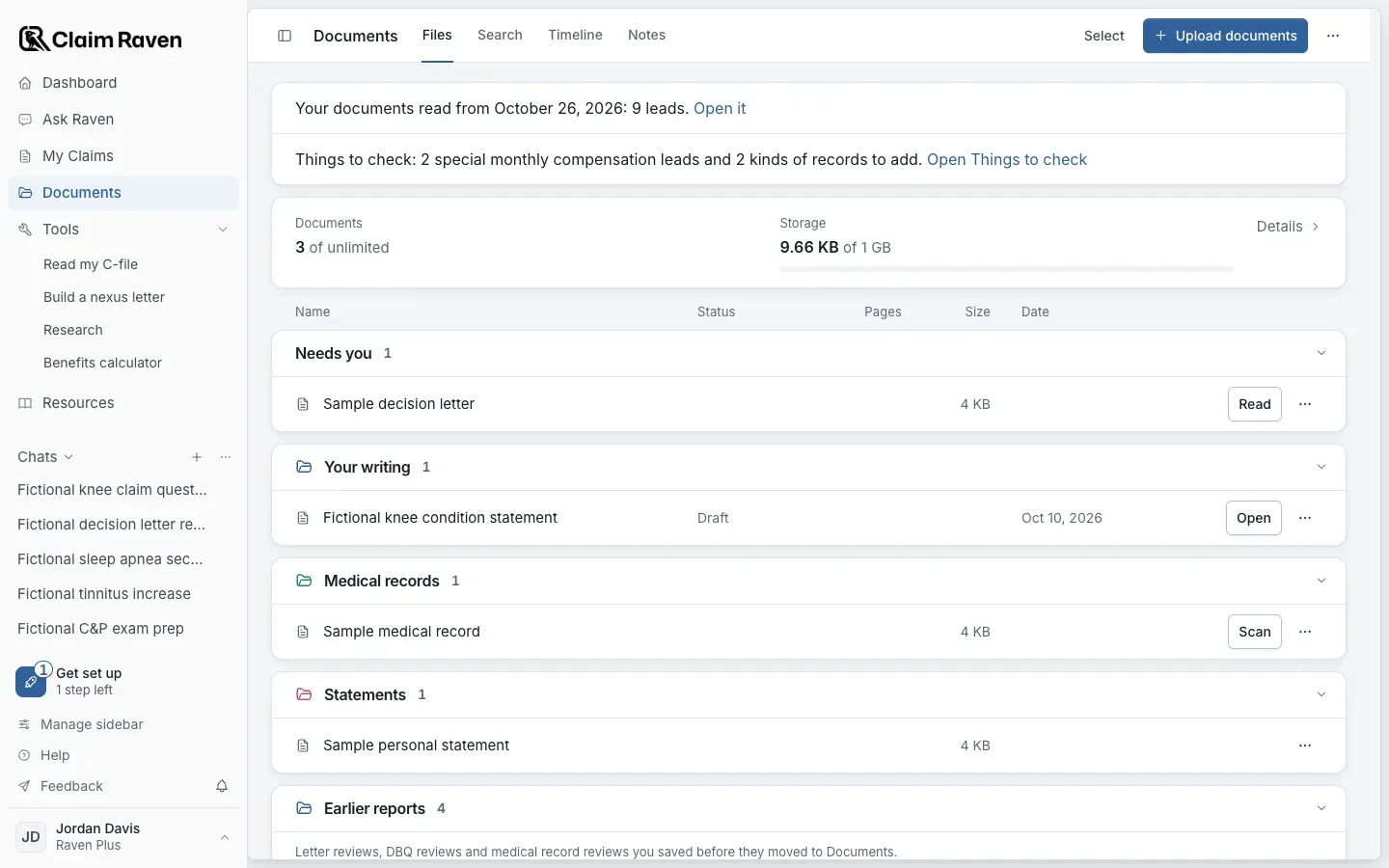
Actual app screen with fictional preview data.
Select Read beside the letter in Documents
Use Upload documents first if the letter is not saved yet. To review several letters, choose Select, check them and open Actions > Analyze letters. Each letter gets its own saved analysis.
Expected result: When the review finishes, the result is saved with the letter and the letter shows View result in Documents.
Check the full packet
Make sure the intended letter and attachments are available and note any unreadable or omitted pages.
Review the explanation
Compare each issue, favorable finding, reason and cited authority with the original wording.
Verify dates before acting
Use the complete notice and current official instructions for deadlines and review choices. A summary may omit or misread material.
Check saved work separately
Review the saved result or export before reusing it. Saving an analysis does not file anything with VA.
- In Ask Raven, Understand a VA letter under Start a task explains a letter you attach in the chat: what VA is saying, what it means for you and what evidence to get.
- Letter reviews saved before they moved to Documents are under Earlier reports in Documents, with Open review.
If this does not work
A result is incomplete or does not match the document
- Check the selected original and readable-page coverage.
- Check the surrounding text, attachments and qualifications.
- Tell an older saved result apart from the latest attempt.
Use the original for consequential facts. Do not invent missing text or upload repeated copies just to reopen a saved review; follow the visible recovery message.
Open Documents
Add a VA letter, or return to a saved review.
Useful links
Related articles
Was this helpful?
Still need help? Ask the team