Raven Calculator
Estimate a combined rating and compensation from your inputs, then check the assumptions and official result.
Written By Landon
Last updated 1 day ago
The Raven Calculator is now called Benefits calculator. Open it from Tools > Benefits calculator in the sidebar. It opens over the page you are on, and it also has its own page in Resources, under Tools for your claim.
The calculator produces an educational estimate from the ratings and dependency inputs entered. It does not reproduce every VA rule or establish an official combined rating, payment, effective date, offset, or eligibility decision.
A dashboard tool does not make the VA decision
Calculators, associations, notes, estimates, and reminders are educational or organizational. They do not establish eligibility, rating, payment, causation, deadline, filing, receipt, status, or outcome.
Follow these steps
Find the controls
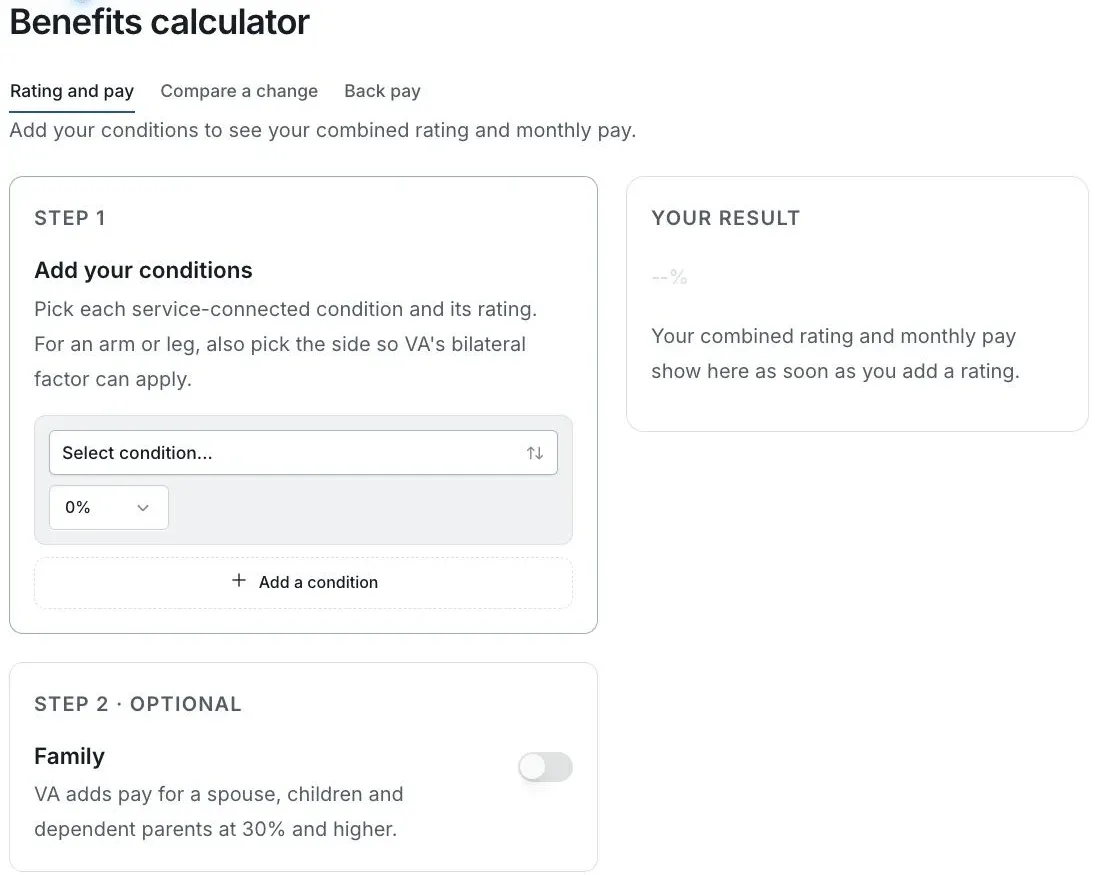
Actual app screen with fictional preview data.
Gather the inputs
Use your actual ratings and the dependency information relevant to the estimate.
Enter one rating at a time
Check every entered percentage and the dependency choices before reading the result.
Read the estimate’s assumptions
Review exclusions, rate year and any limitations shown. The calculator does not reproduce every VA rule.
Compare with official records
Use your VA decision and current official rates for the amount that applies to you.
If this does not work
The estimate differs from your award
- Check each rating and dependency input.
- Check the rate year and displayed exclusions.
- Compare with the complete award rather than a rounded summary.
Treat the calculator as an estimate. Do not change an official amount merely to match the tool.
Check the current screen
Review your inputs, the source and the displayed limitations.
Useful links
Related articles
Was this helpful?
Still need help? Ask the team