Statement Quality Score
Use the statement checklist to find details to review, then decide whether each suggestion applies.
Written By Landon
Last updated 1 day ago
Use the quality display as a checklist for readability and missing drafting details, not as proof. VA determines evidence weight and the writer remains responsible for accuracy.
The writer owns every fact and final word
A draft, AI edit, or quality indicator cannot establish credibility, diagnosis, relationship, severity, evidence sufficiency, rating, or outcome. It never submits a statement to VA.
Follow these steps
Find your statement starting point
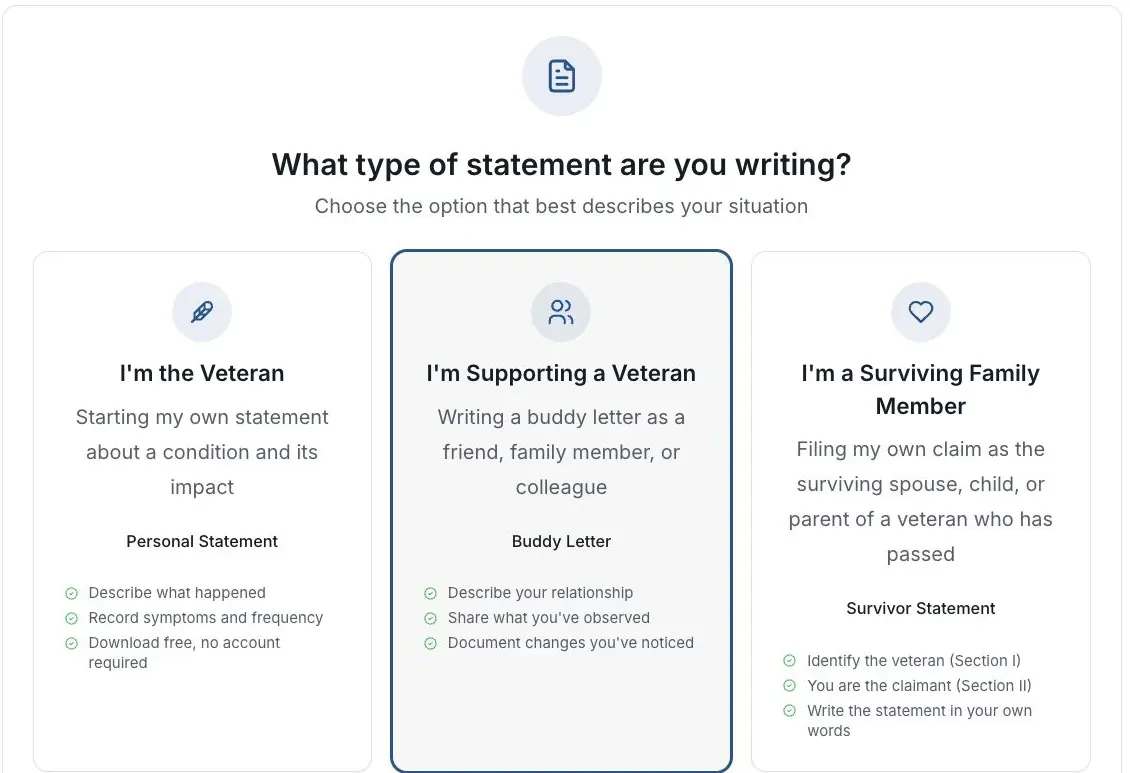
Actual app screen with fictional preview data.
Open the review screen
Read the statement before looking at the quality display.
Read Included and Could Improve
Use the checklist to find missing drafting details or wording to reconsider.
Make a factual correction
Add only accurate information the writer can stand behind. Explain uncertainty instead of guessing.
Read the whole draft again
A higher display is not proof of credibility, legal sufficiency, a rating or an outcome.
If this does not work
The draft or export does not match what you wrote
- Compare the result with your original answers.
- Check the selected statement type and writer’s role.
- Correct unsupported text before sharing or signing.
Keep the accurate original. For a product error, tell support the page and visible problem using a fictional example.
Return to your draft
Review your own facts and save or download the version you intend to keep.
Useful links
Related articles
Was this helpful?
Still need help? Ask the team