Can I print a Statement Builder draft for a notary?
Review your statement, download a copy and check the file before you print or sign it.
Written By Landon
Last updated 1 day ago
Review names, dates, facts, page breaks, signature needs, and the complete exported file before printing or downloading. An export is a draft until the writer decides to use it and does not submit anything to VA.
The writer owns every fact and final word
A draft, AI edit, or quality indicator cannot establish credibility, diagnosis, relationship, severity, evidence sufficiency, rating, or outcome. It never submits a statement to VA.
Follow these steps
Find your statement starting point
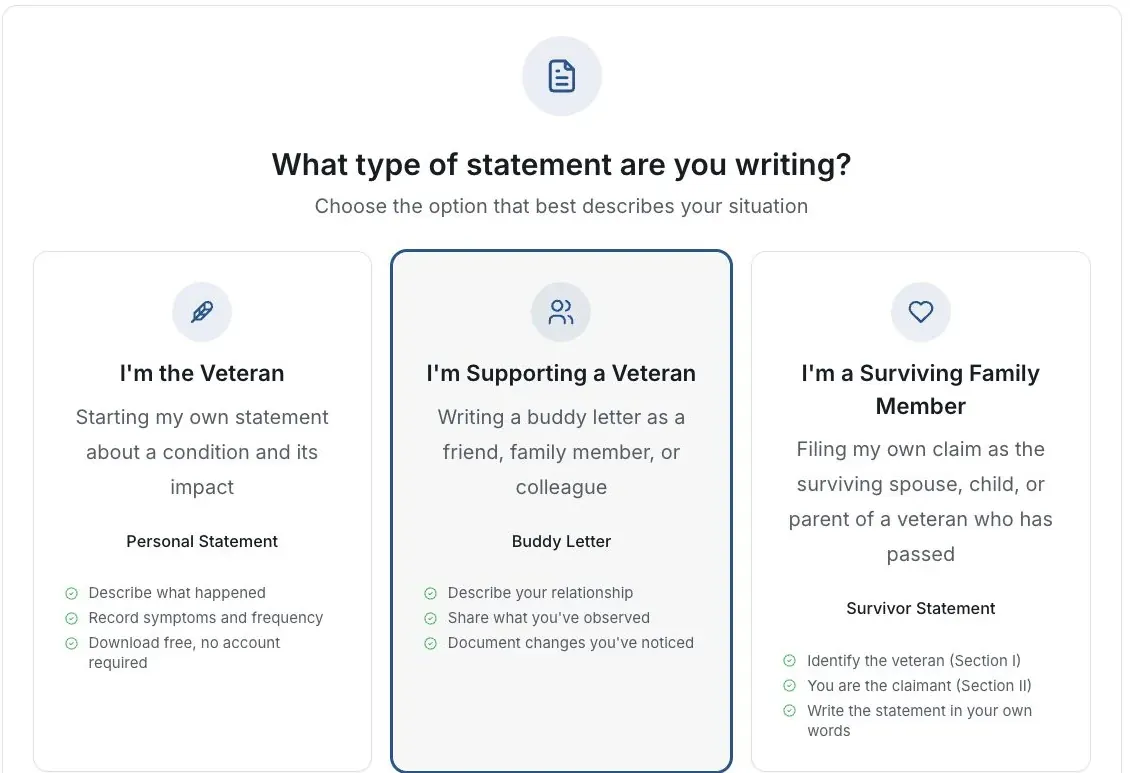
Actual app screen with fictional preview data.
Review the full draft
Check names, dates, facts and the writer’s role. Remove placeholders and unsupported statements.
Choose the export you need
Use the export controls on the review screen. Keep a copy you can open outside the browser.
Inspect the saved file
Open it and check all pages, line breaks, omitted text and signature spaces before printing.
Check signing requirements
Use the current instructions for the document and the recipient. The builder does not determine whether notarization is needed or submit the statement.
If this does not work
The draft or export does not match what you wrote
- Compare the result with your original answers.
- Check the selected statement type and writer’s role.
- Correct unsupported text before sharing or signing.
Keep the accurate original. For a product error, tell support the page and visible problem using a fictional example.
Return to your draft
Review your own facts and save or download the version you intend to keep.
Useful links
Related articles
Was this helpful?
Still need help? Ask the team