What is Ask Raven?
Use Ask Raven to work through a focused question and inspect the information behind the answer.
Written By Landon
Last updated 1 day ago
Ask Raven is an educational claims assistant. It can answer in plain language and may retrieve authority or saved Claim Raven context, but an answer can be incomplete, mistaken, or unsupported and never replaces the veteran's notice or current official source.
An answer is not authority
Ask Raven is not VA, a clinician, an accredited representative, or legal counsel. It may answer without a retrieved source and can be wrong even when a source receipt is present.
Start with a focused question
Ask a focused question
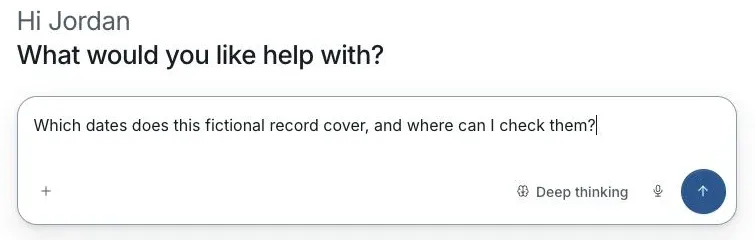
Actual Ask Raven screen with fictional preview data.
Open Ask Raven
Choose the intended conversation and claim where those controls are available.
Ask one question
Describe the task in plain words. For example, ask which dates a selected record covers and which passage supports the answer.
Check the answer
Open citations or source details when present. Compare the answer with the complete source and correct unsupported wording.
Return to the same conversation
Select the chat under Chats in the sidebar to continue the discussion. Recheck the selected claim before asking about a different set of records.
If this does not work
The answer is missing a source or does not match the record
- Check the selected claim and conversation.
- Open the original record and read the relevant passage.
- Identify any incomplete or unreadable attachment.
Ask a narrower question using the correct context. If the source still does not support the answer, discard that part and use the source.
Return to your question
Check the context before continuing the conversation.
Useful links
Related articles
Was this helpful?
Still need help? Ask the team