VA Facilities Finder
Find a VA facility and check its current location, services and hours before you go.
Written By Landon
Last updated 1 day ago
Find a VA facility
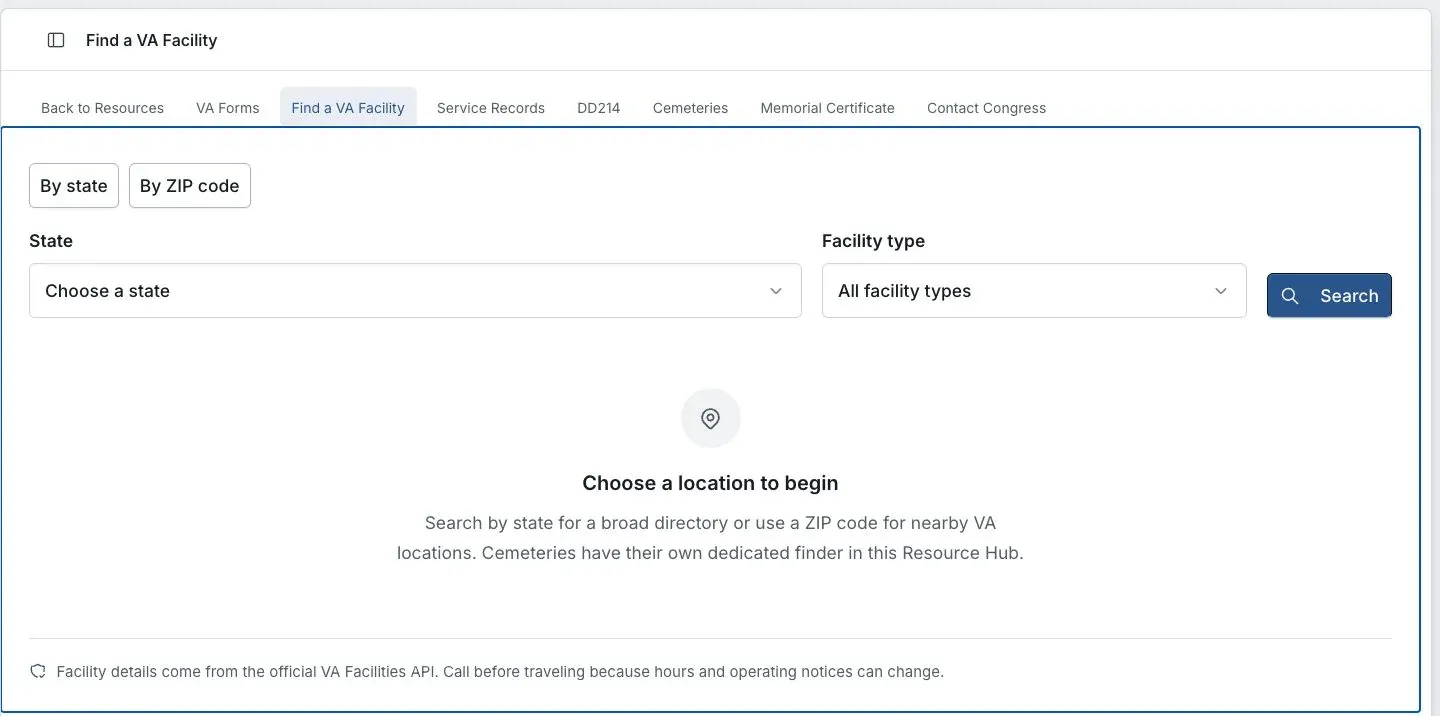
App preview with fictional account data.
Use the VA Facilities Finder as a convenient search surface, then open the current official VA location page to confirm the address, phone number, services, hours, and operating status before traveling or sending records.
A directory is not claim status or filing authority
Confirm a facility, service, address, office, and operating status on the current official VA page. An office listing does not prove which team controls a claim or why a transfer occurred.
Check the office information
Open Resources, then Find a VA Facility
Choose By state for a broader directory or By ZIP code for locations near a ZIP code.
Choose State and Facility type
Select the location and kind of facility you need, then select Search.
Check the official location page
Confirm the address, phone number, services, hours and operating notices before traveling or sending records.
Keep the product display and controlling source separate
If this does not work
A result, status, date, label, or draft conflicts with the source record
- Reopen the complete source rather than a screenshot or excerpt
- Confirm the selected account, claim, document, condition, and date range
- Look for a partial, stale, failed, generated, or user-entered label
- Correct or discard the product output instead of changing the source to fit it
Use the complete source and current official instructions for consequential action. Report a product defect with synthetic or irreversibly redacted details only.
For product help, describe the route, visible state, and expected behavior without attaching private records, credentials, or identifying claim details.
Current official sources
Open the current product surface
Use the live screen and its visible access, consent, source, status, and privacy controls as the current product contract.
Related articles
Was this helpful?
Still need help? Ask the team