Buddy Letter (Supporter)
Create a buddy statement from your own observations and review it before sharing it with the veteran.
Written By Landon
Last updated 1 day ago
A buddy or witness statement records another person's firsthand observations in that writer's own words. The veteran can request and organize it, but software should not script the witness or decide how many statements are sufficient.
The writer owns every fact and final word
A draft, AI edit, or quality indicator cannot establish credibility, diagnosis, relationship, severity, evidence sufficiency, rating, or outcome. It never submits a statement to VA.
Follow these steps
Find your statement starting point
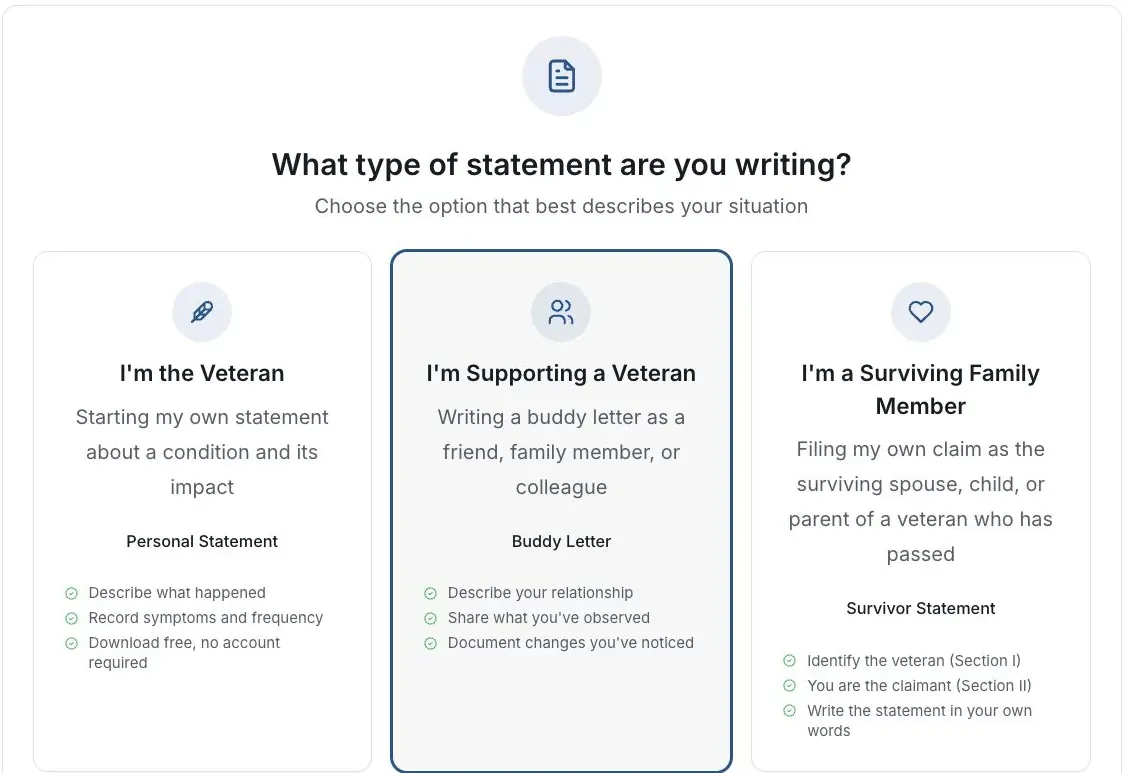
Actual app screen with fictional preview data.
Start the builder
Choose Start my statement, then I’m Supporting a Veteran.
Identify your relationship
Explain how you know the veteran and when you had an opportunity to observe the events or changes.
Describe specific observations
Give concrete examples in your own words. Separate what you saw from what someone told you.
Review before sharing
Correct the draft and inspect the complete export. The veteran should not rewrite your meaning or sign for you.
Answer a request with a link and code
If a veteran sent you a link and a 6-digit code, you don't need a Claim Raven account. It takes about 10 to 15 minutes.
Open the link and enter the code
The code works until the date in the message. If it stopped working, ask the person who sent it for a new one.
Expected result: You see who asked and what it is about.
Read Before you start
What you type is sent to an AI service that writes your statement, and Claim Raven stores it. The veteran gets only the statement you send, never your answers or the chat. Tick the box and select Agree and continue, or select I can't help with this. If you can't help, they won't see a reason.
Answer the questions in your own words
Claim Raven asks about 10 short questions about what you have seen. Use Skip or I don't know when you need to.
Read your statement and fix anything wrong
Change the words yourself, or use Ask for a change. Sentences Claim Raven could not match to your answers are marked; keep them with It's right or take them out with Remove it.
Add Your details for VA's form
VA Form 21-10210 asks for these in Section IV. They go on the form, not in your statement.
Confirm and send
Read VA's certification, type your full name to approve, and select the Send button, which shows the veteran's name. Nothing goes to the veteran before this.
Expected result: Your copies of the statement and the form are ready to download.
The veteran prints the form and asks you to sign and date Section V by hand. Your signature is what makes it your statement for VA.
Claim Raven deletes your answers 30 days after you send the statement, or 30 days after the request ends if you don't. If Claim Raven emailed you, the email has a link to stop all statement emails from Claim Raven. Your answers are never used to market to you. The privacy policy has the details.
If this does not work
The draft or export does not match what you wrote
- Compare the result with your original answers.
- Check the selected statement type and writer’s role.
- Correct unsupported text before sharing or signing.
Keep the accurate original. For a product error, tell support the page and visible problem using a fictional example.
Return to your draft
Review your own facts and save or download the version you intend to keep.
Useful links
Related articles
Was this helpful?
Still need help? Ask the team