Do I need an account to use Statement Builder?
Start a statement without an account and understand which optional features require sign-in.
Written By Landon
Last updated 1 day ago
The original non-AI Statement Builder remains usable without AI processing. Saving account-bound work and using optional AI features can require sign-in; a supporter entering through an invitation follows the controls on that invitation.
The writer owns every fact and final word
A draft, AI edit, or quality indicator cannot establish credibility, diagnosis, relationship, severity, evidence sufficiency, rating, or outcome. It never submits a statement to VA.
Follow these steps
Find your statement starting point
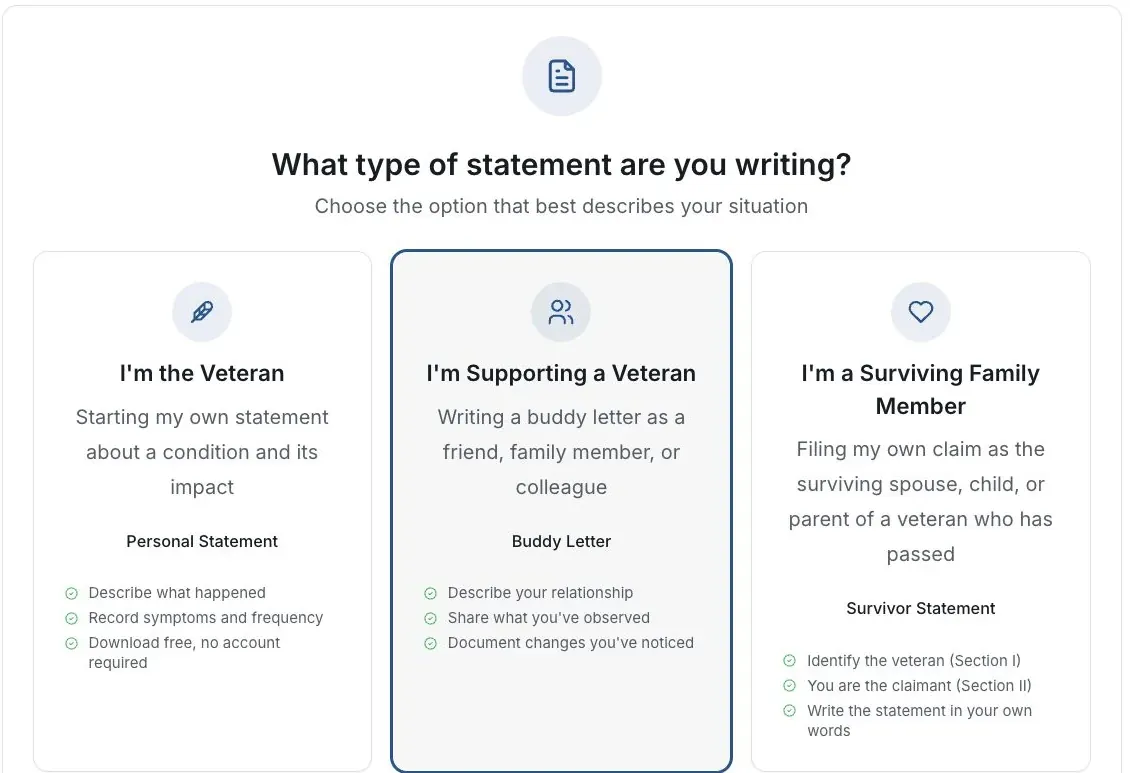
Actual app screen with fictional preview data.
Open Statement Builder
Choose Start my statement. The ordinary draft, copy, print and download flow is available without an account.
Choose your role
Select the personal, buddy or survivor option that describes who is writing.
Answer one part at a time
Use your own observations. Follow the visible invitation controls if a veteran gave you a private link.
Review and keep a copy
Use the available copy or download control after reviewing the draft. An optional account feature may ask you to sign in separately.
If this does not work
The draft or export does not match what you wrote
- Compare the result with your original answers.
- Check the selected statement type and writer’s role.
- Correct unsupported text before sharing or signing.
Keep the accurate original. For a product error, tell support the page and visible problem using a fictional example.
Return to your draft
Review your own facts and save or download the version you intend to keep.
Useful links
Related articles
Was this helpful?
Still need help? Ask the team