Do I need a Claim Raven account to use Resume Raven?
Learn which career tasks you can explore signed out and which require your free account.
Written By Landon
Last updated 1 day ago
Public career exploration can be used signed out. Reading documents and saving account-bound Resume Raven work requires a free account so the product can enforce consent, ownership, and deletion controls.
Career drafts must stay accurate and user controlled
Resume Raven does not verify employment, guarantee interviews or jobs, apply to an employer, or send a resume. Document extraction and AI drafts may be wrong and require review.
Follow these steps
Find the starting point
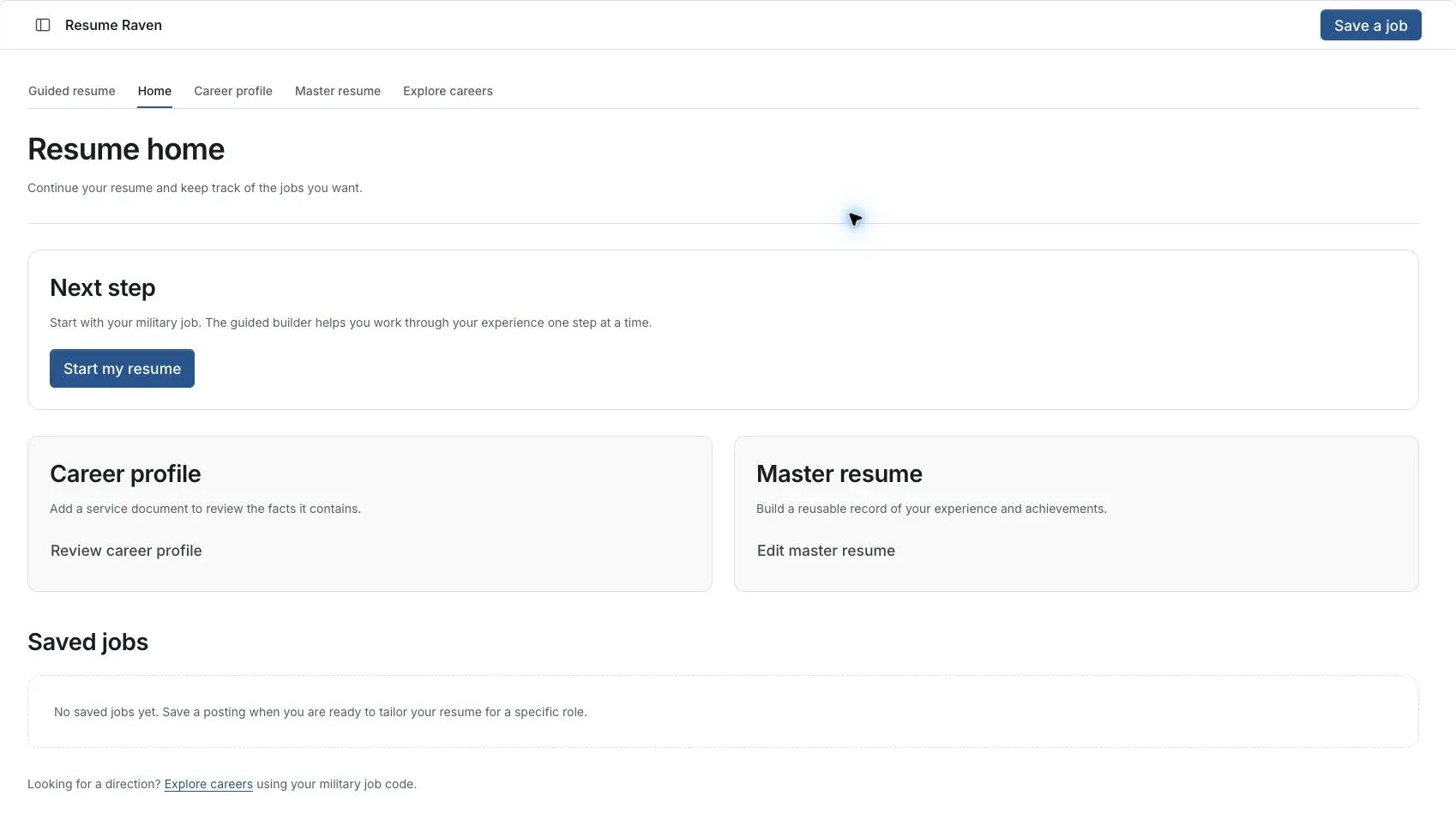
Actual Resume Raven screen in the fictional account preview; no personal records uploaded.
Choose the task
Public career exploration can be used signed out. Document reading and account-bound saved work require an account.
Sign in when requested
Use your intended account before adding evidence or saving private work.
Check the saved workspace
Return to Resume home or Career profile in the same account to find saved work. A browser session alone is not proof of a saved result.
If this does not work
Saved work is missing after sign-in
- Check that you used the same account.
- Reopen Resume home and the relevant career section.
A signed-out session and an account save are different. Report the page and save state without sharing private documents.
Return to Resume Raven
Review your facts and the intended job before continuing.
Useful links
Related articles
Was this helpful?
Still need help? Ask the team