Medical record review
Choose medical records in Documents, start a medical record review and open the saved report.
Written By Landon
Last updated 1 day ago
Medical record review was called Raven Scan. It reads the records you choose, lists the conditions it finds and what would help each claim, and saves the report with your originals in Documents.
Before you start
Gather the medical PDFs you want reviewed together, such as a VA Blue Button Health Report and service treatment records. Keep the original files so you can compare the report with them.
Choose records in Documents
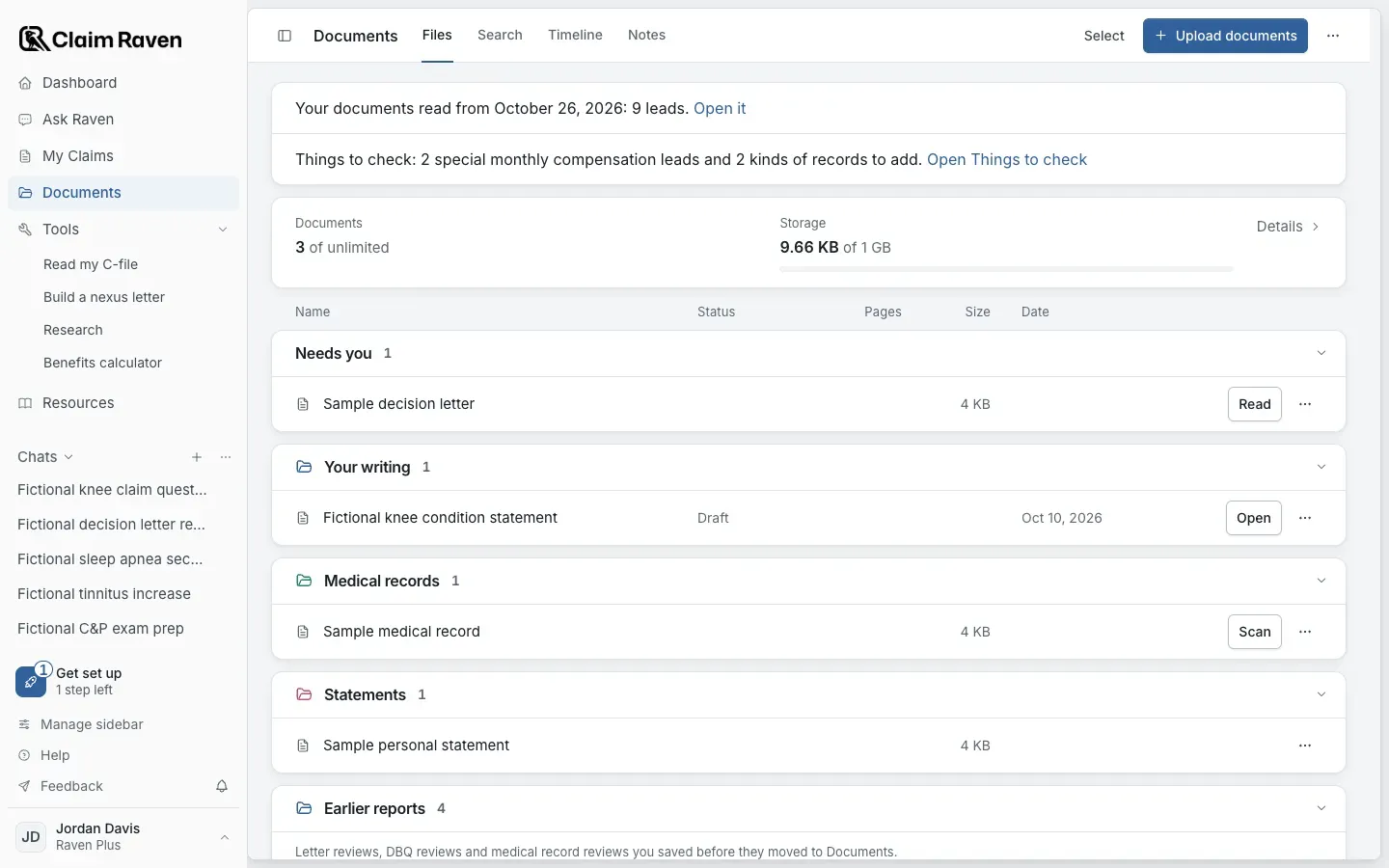
Actual app screen with fictional preview data.
Review several records together
Open Documents and add your records
Use Upload documents for any PDF that is not saved yet. Saved medical records are listed in their own group.
Choose Select and check each record
Check every record you want reviewed together.
Open Actions > Review my medical records
The Review records together page lists the records you chose and any kinds of records that are missing. You can add records first or continue with this set.
Choose a Depth and start the review
Choose Standard Scan or Deep Review. Check the allowance line and the AI notice, then select Start Standard Scan or Start Deep Review.
Expected result: Your review is ready appears when it finishes. You can leave the page while it runs and return to the same record set.
Select Open saved review
Start with the summary. Open the file and page named for a finding before you rely on it, and check which pages the review covered. An upload or a running status is not a finished report.
Review one record
To review a single medical record, select Scan beside it in Documents and follow the steps on its page. When the review is ready, the record shows View result.
Start from Ask Raven
Open Ask Raven and select Analyze medical records
It is under Start a task in a new chat.
Choose your records
Check saved records, or select Upload medical records. You can choose up to 10 files. Originals stay in Documents.
Select Continue with these records, then Analyze records
Check the access line and the AI notice first.
Expected result: The summary appears in the chat when the report is saved. View full report opens the whole report.
Return to your work
Open Documents. A record with a finished review shows View result. More document options > Review history lists your record reviews. Reviews saved before they moved to Documents are under Earlier reports, with Open report.
A saved upload bundle and report can remain in your account until you use the available deletion control. This is not memory-only processing. Saving or exporting a report does not file anything with VA.
If this does not work
You cannot start or complete a review
- Check that the selected files are supported PDFs within the limits on screen.
- Check the allowance line under Depth.
- If a review is already running, check its status before starting another.
If the screen reports a failure, keep the original files and use the error message to describe the problem to support. Do not send private medical records with a general support message.
Open Documents
Sign in to choose the records to review.
Related articles
Was this helpful?
Still need help? Ask the team