Gap Analysis
Review a decision letter with Gap Analysis and check each suggested evidence gap against your records.
Written By Landon
Last updated 1 day ago
Open Gap Analysis
Open a condition from Dashboard > Your conditions > View all. Under Tools on the condition's page, select Check for missing evidence. If it is not listed, open More tools.
To compare a decision with your evidence in a chat instead, open Ask Raven > More tasks > Find gaps in my evidence.
Prepare your letter
Have the complete decision letter available. Decide which issue you want to review and keep the underlying evidence nearby. The analysis is limited to the letter and scope you provide.
Start a decision-letter review
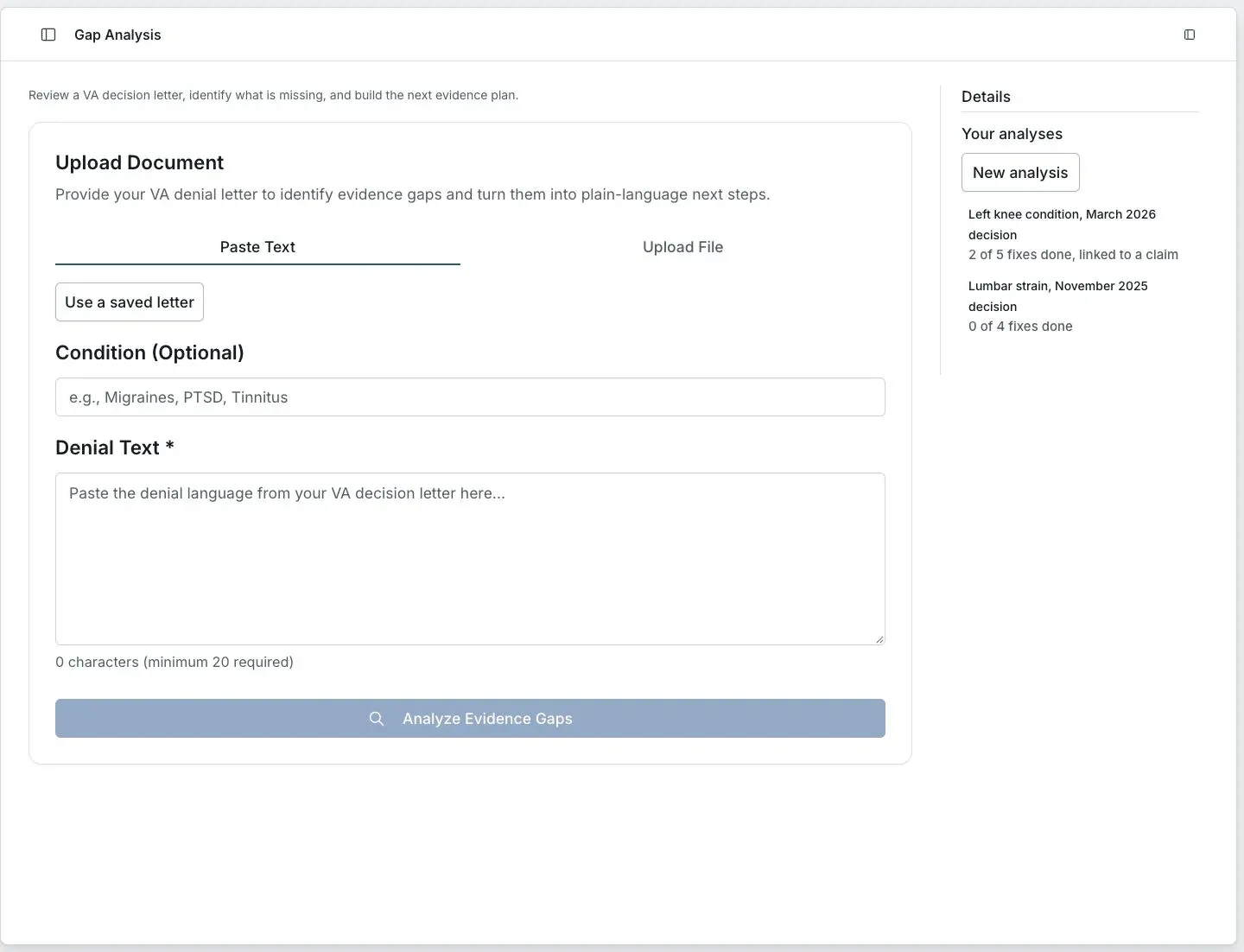
Fictional preview. No member records are shown.
Start the review
Choose Paste Text or Upload File
On Gap Analysis, choose how to add the letter. Use a saved letter is also available on the Paste Text tab.
Check Condition and Denial Text
Condition is optional. If you enter one, make sure it matches the issue you want reviewed. Check that the text includes the relevant reasons rather than a short excerpt without context.
Select Analyze Evidence Gaps
Wait for the result or the error shown on screen. Do not treat a running or failed analysis as a completed review.
Compare the suggested gaps
For each suggestion, check the decision letter and the evidence you already have. A proposed gap may reflect missing input rather than missing evidence.
Return to an analysis
Use Your analyses in the Details panel to reopen saved work. Recheck a saved result if you have since added records or received another decision.
Before acting on a suggestion
The tool does not choose a review lane, calculate a deadline or establish that your evidence is sufficient. Use the complete notice and current official instructions, and get qualified help when a filing decision is unclear.
If this does not work
The analysis is unavailable or incomplete
- Check the required text or file input.
- Check any access or error message on the screen.
- Confirm you opened the intended saved analysis.
Keep the original letter. Ask support about the screen and error without including private claim details in the message.
Open Gap Analysis
Sign in to return to your account and saved work.
Related articles
Was this helpful?
Still need help? Ask the team