What is medical record review?
Learn what medical record review, formerly Raven Scan, reads, how to check its findings and where to find a saved report.
Written By Landon
Last updated 1 day ago
Medical record review organizes the medical records you choose into a report you can check against the original pages.
What the report helps you review
The report brings together medical-record findings, possible gaps and source references. It lists the conditions it finds and what would help each claim. The report is saved with your originals in Documents.
Start a review from Documents
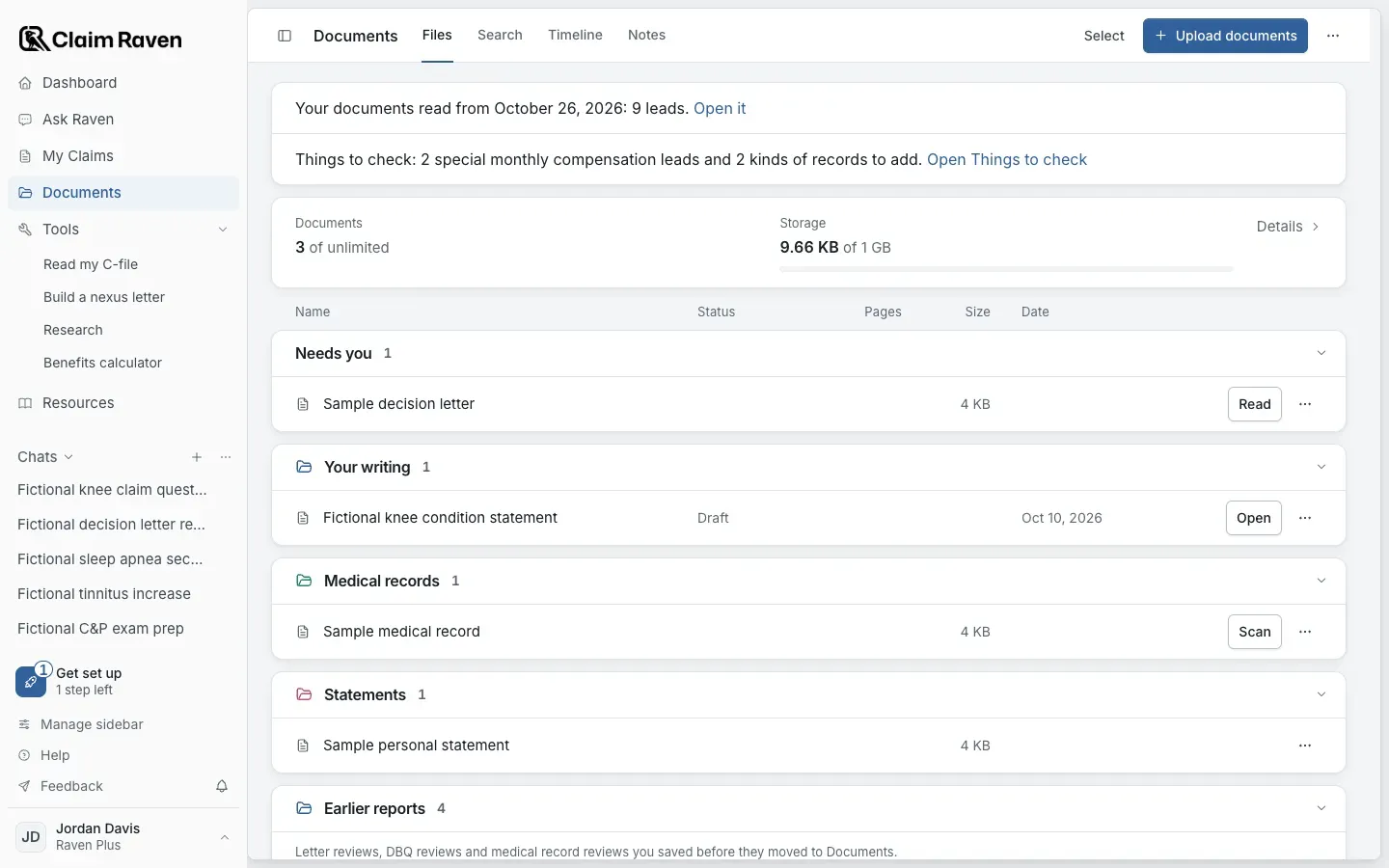
Actual app screen with fictional preview data.
Start a review
In Documents, choose Select, check your medical records and open Actions > Review my medical records. You can also start from Ask Raven with Analyze medical records.
Check the report in order
Open the saved report
In Documents, a record with a finished review shows View result. Reviews saved before they moved to Documents are under Earlier reports, with Open report.
Start with the summary
See what the report says helps and what needs work. Treat these as findings to check, not conclusions VA has accepted.
Check the source pages
Compare each finding with the named file and page. Keep missing pages, uncertain dates and conflicting records visible in your notes.
What medical record review cannot establish
Medical record review may miss, duplicate or misclassify information. It does not find every claimable condition, diagnose you, prove a relationship, choose a review lane, calculate a deadline or predict an outcome. Your original records remain the source to check.
If this does not work
A finding does not match your record
- Check the file and page named in the report.
- Look at the surrounding pages for context.
- Check which pages the review covered.
Correct or leave out the finding before using it elsewhere. A generated statement does not change the source record.
Open Documents
Sign in to choose records and return to saved reviews.
Related articles
Was this helpful?
Still need help? Ask the team