Review records together
Select records for a shared review, check what was read and open the sources behind each finding.
Written By Landon
Last updated 1 day ago
A claim overview brings together the selected records and groups related information. Its scope is the files you choose, not every document in your account.
Choose the records
Start from the Files tab
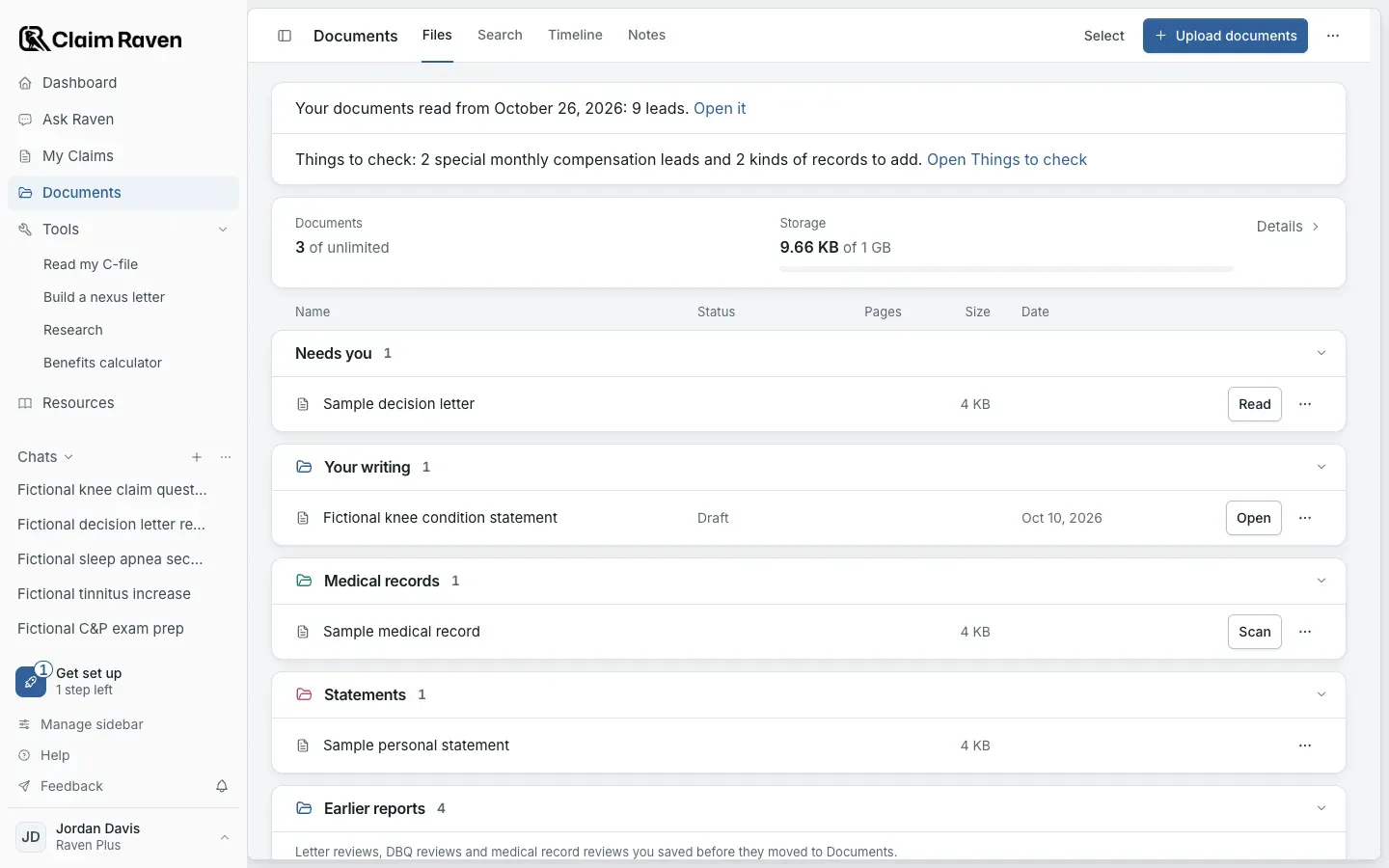
Actual app screen with fictional preview data.
Open Documents
If you are working in a claim you're getting ready, confirm that claim before you choose files.
Choose Select and check the files
Check the whole selection, including files below the visible part of the list.
Open Actions > Review selected records
What are you preparing? is optional. Remove unrelated files and read the limits and consent information shown.
Expected result: The Review records together window opens.
Start with Review records
To reopen the saved overview later, use More document options > Review history.
The review reads the originals before combining their retained facts. It keeps the originals in Documents. It is separate from the medical record review and uses no scan or letter review allowance.
Read a finding with its source
Open an issue in the overview. Check the finding and expand View sources. Follow the original-file and PDF page link, then read the surrounding passage as well as the quoted words.
A matching quote helps you locate the evidence. It does not establish that the interpretation is correct. Check dates, who made the statement and whether the passage includes a qualification.
Check coverage before continuing
If some records are incomplete or failed, inspect their coverage. Retry unfinished work retries the records that need attention without repeating completed readings. An interrupted record may need to be read again.
Continue with reviewed content deliberately creates an overview from the readable portion. Use that choice only after checking what it leaves out. Keep incomplete readings visible when deciding what to do next.
The first overview can add suggestions to Action Plan. Accept the ones you want to work on. Saving an overview does not complete those tasks or confirm that your claim is ready to file.
If this does not work
The overview stops at Needs attention
- Read the coverage for each source.
- Use Retry unfinished work for records that need another attempt.
Continue with reviewed content uses only the available reading and is offered only when usable facts remain. Check what was left out before choosing it.
Useful links
Related articles
Was this helpful?
Still need help? Ask the team