Get set up
Finish the six Get set up steps in any order so Claim Raven knows your case, and see what marks each step done.
Written By Landon
Last updated 1 day ago
While any step is left, a blue square with a rocket sits at the bottom of the sidebar, above Manage sidebar. It shows Get set up and the number of steps left. Select it to open the Get set up page.
Find your setup steps
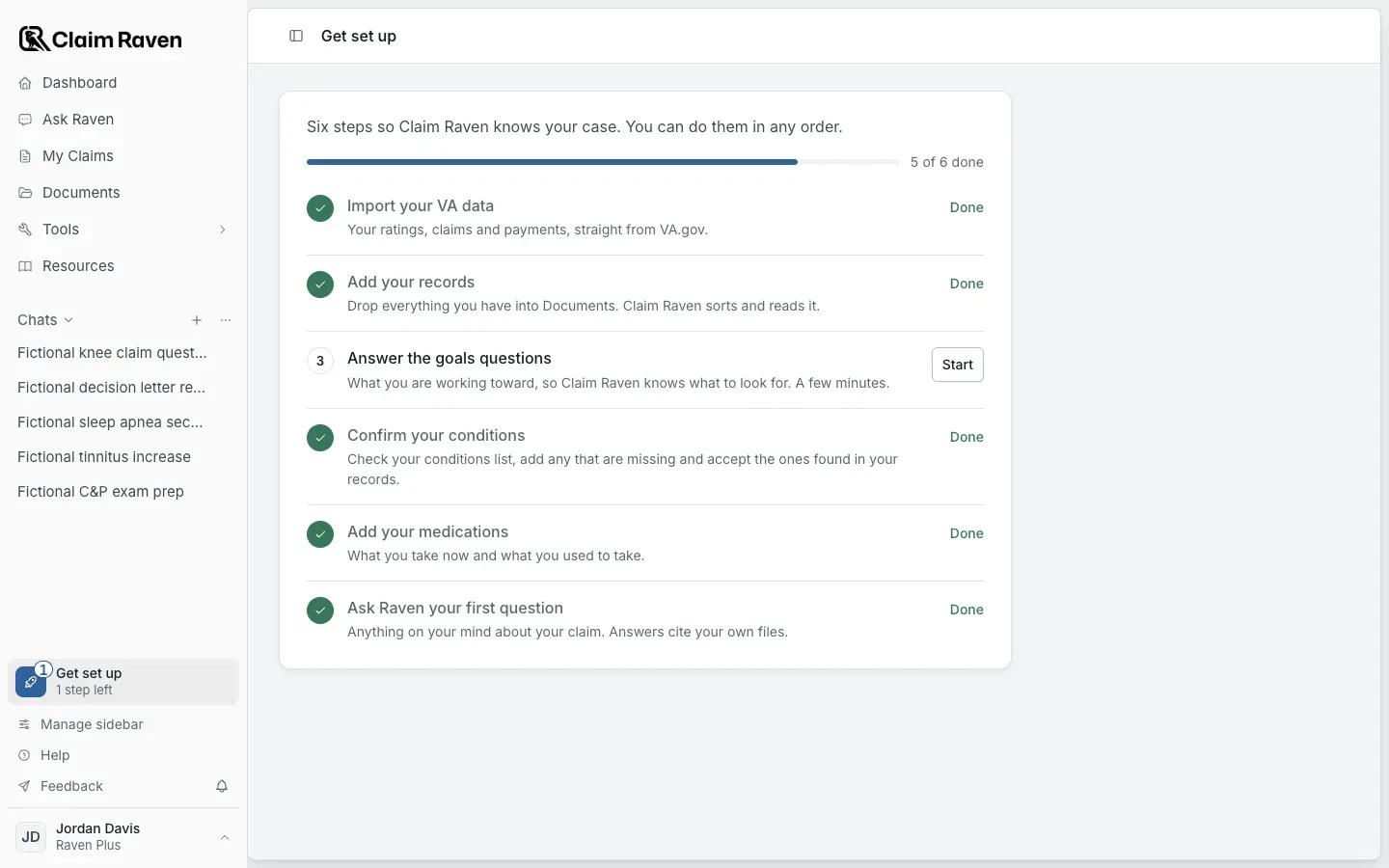
Actual app screen with fictional preview data.
Finish a setup step
Select Get set up at the bottom of the sidebar
The page shows how many of the six steps are done.
Expected result: Each step shows Done or a Start button.
Select Start beside a step
Start opens the page where you do that step. The table below lists each one.
Finish the step on that page
Come back to Get set up whenever you like. You do not have to finish in one visit.
Expected result: The step shows Done and the count in the sidebar goes down by one.
Check what each step asks
The six Get set up steps
- When every step is done, the page says You are all set up, and the square leaves the sidebar. From then on, your claim work is on the Dashboard.
- Once the square leaves, it stays gone in this browser. You can still open the Get set up page from its address, and it always shows each step's current state.
- Get set up shows for members whose account has Documents. Claim Raven Pro practitioners do not see it.
If this does not work
A step you finished still shows Start
- Check the Done when column for that step. For example, a condition from VA's claim data alone does not finish Confirm your conditions.
- Make sure you saved your work on that page, not only typed it.
Reload the Get set up page. It reads your account each time it opens.
Your setup steps could not load
- Select Try again on the Get set up page.
- Check your connection, then reload the page.
If the steps still do not load, contact support with the page address and the message shown. Do not include private records.
Open Get set up
See which steps are left and start the next one.
Related articles
Was this helpful?
Still need help? Ask the team