Where did my tools go?
Find where each page and tool lives in the shorter sidebar, and get back to the records, chats and drafts you saved.
Written By Landon
Last updated 1 day ago
The sidebar now shows Dashboard, Ask Raven, My Claims, Documents, Tools and Resources, plus Pathfinder if you are enrolled. Conditions, Action Plan and Connect VA open from the Dashboard. Search, Timeline and Notes are tabs in Documents. Inbox opens from the bell beside Feedback. Pages that left the sidebar kept their addresses, so your bookmarks to them still work.
Your documents, chats, conditions, notes, plans and the claims you are getting ready were not deleted or moved. Only the place you open them from changed.
Find a page that left the sidebar
Where the old sidebar items are now
On a page that opens from the Dashboard, such as Conditions or Action Plan, the sidebar highlights Dashboard and the top bar keeps the page's own name.
Put a page back in your sidebar
Select Manage sidebar
It is the sliders icon in the row of icons at the bottom of the sidebar, just above your name.
Find the page under More you can add
Conditions, Action Plan, Connect VA, Search records, Timeline and Notes wait there.
Select the eye on its row
Then select Done.
Expected result: The page shows at the bottom of your sidebar. The change is saved to your account, so you see it on every device.
To hide, reorder or reset your sidebar, read Arrange your sidebar.
Open the Tools group
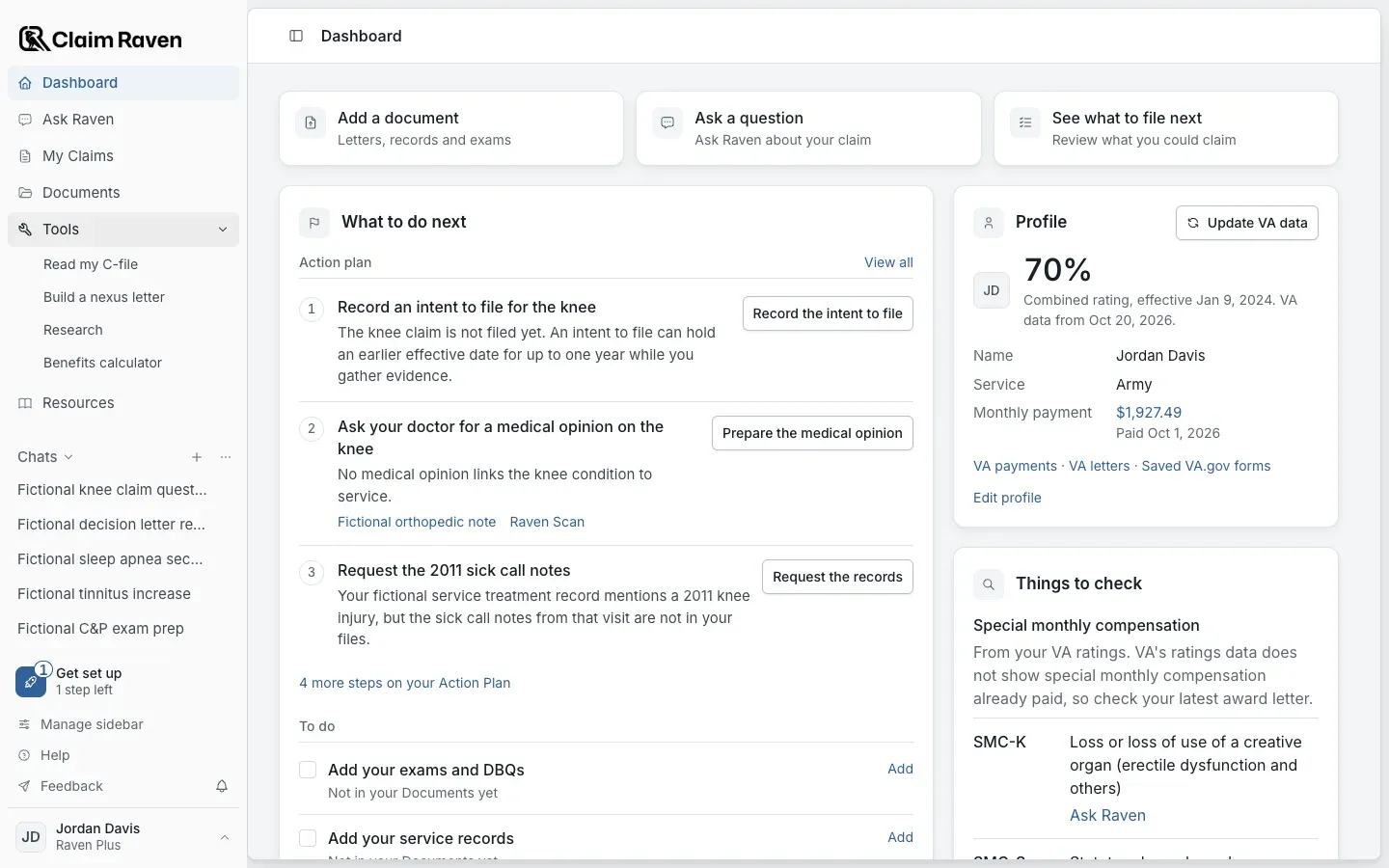
Actual app screen with fictional preview data.
Find a Raven tool
The Raven tools now have plain names. Search for the old name in this table.
Where each Raven tool is now
Find a planning tool
Where each planning tool is now
Find a writing or career tool
Where each writing and career tool is now
Check tools that are hidden or retired
Tools that are hidden for now or retired
Start from the Dashboard
The Dashboard is the first item in the sidebar. It opens your claims, conditions, Action Plan and VA data.
If this does not work
A page is missing from your sidebar
- Open Manage sidebar and look under More you can add.
- Select Reset to default in Manage sidebar to bring back the default sidebar.
- Look for the tool by its name in Resources.
Some pages show only for accounts that have the feature, such as Pathfinder for enrolled members. Contact support with the tool name, page address and visible error. Do not include private records.
A saved item is missing
- Check that you are signed in to the account where you saved the work.
- Use the feature's own list, search or filters.
Contact support with the tool name, page address and visible error. Do not include private records.
Related articles
Was this helpful?
Still need help? Ask the team