Claim Prep
Organize the records, questions and next steps for one claim preparation task.
Written By Landon
Last updated 1 day ago
Claim Prep is an educational organization workflow. It can group records, questions, and drafts, but the veteran chooses what to pursue and current VA instructions control forms, routes, and dates.
Toolkit output is educational and veteran controlled
Claim Raven can organize questions, records, research, and drafts. It does not diagnose, choose what to claim, select a form or review lane, calculate a notice deadline, submit, or represent the veteran.
Follow these steps
Find the controls
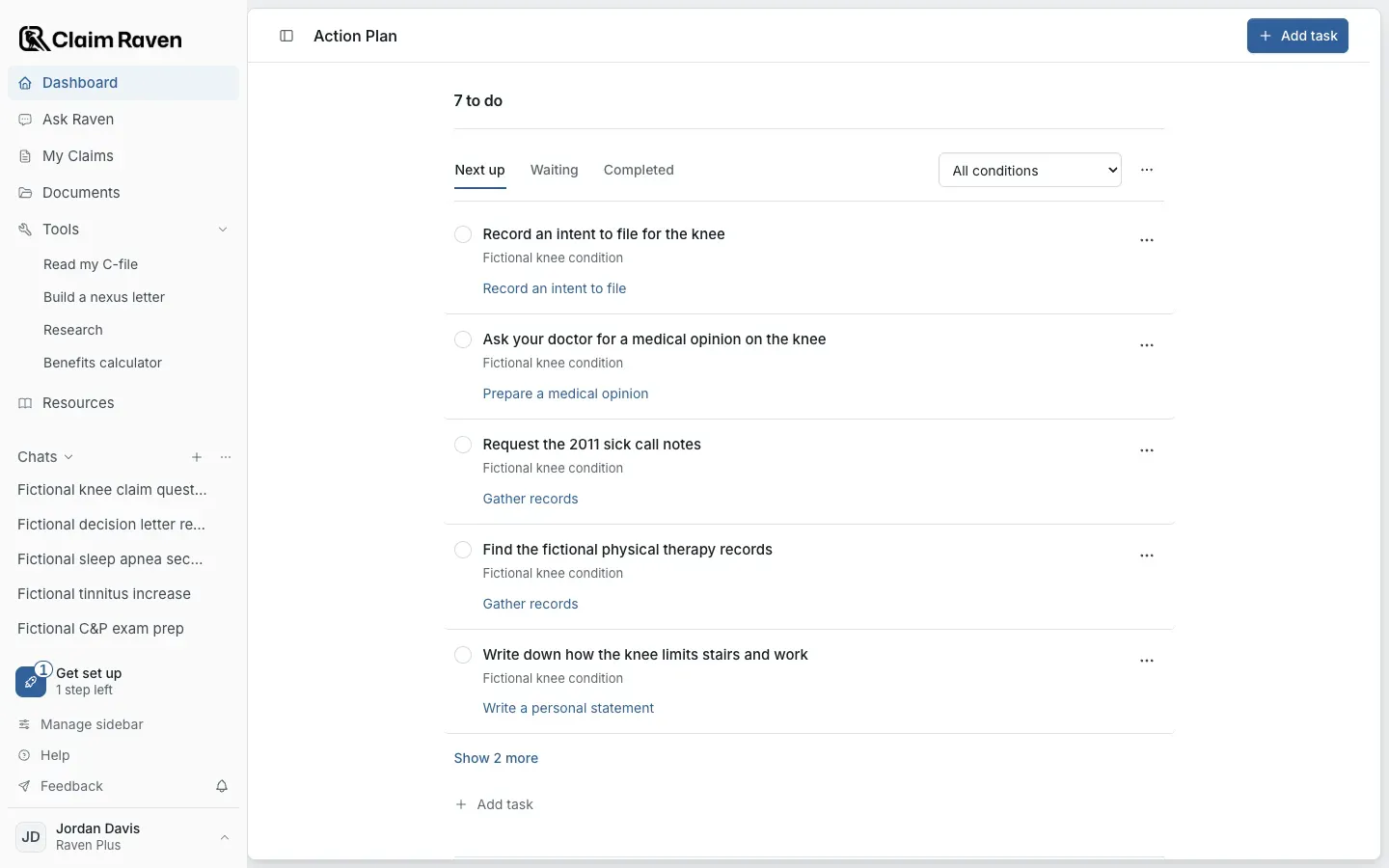
Actual app screen with fictional preview data.
Choose one task
Decide whether you are organizing records, researching a condition or preparing a draft.
Gather your sources
Use the actual records and notices for dates, conditions and facts. Keep unresolved questions visible.
Save a concrete next step
Add it to Action Plan with Add task. To open Action Plan, select View all beside Action plan in What to do next on the Dashboard. To keep related records and drafts together, select Get a claim ready on My Claims. Confirm each save before leaving.
Check before filing
Review the complete work and current official form, route and date instructions. Organizing preparation does not file a claim.
If this does not work
The displayed state does not match what you expected
- Check the account, claim and selected record.
- Read the current source, date and status label.
Preserve the original record and any unsaved text. Describe the screen and message to support without sending private records.
Return to your preparation
Check the source and current state before continuing.
Useful links
Related articles
Was this helpful?
Still need help? Ask the team